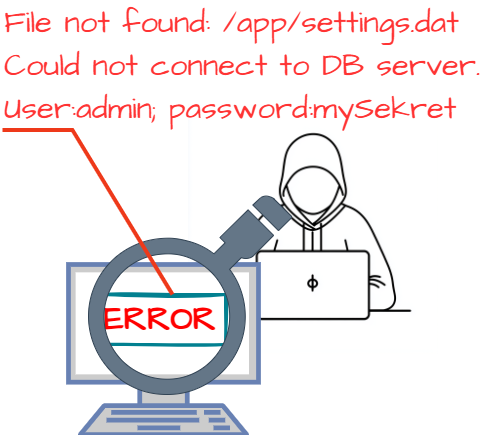
CWE-209: Generation of Error Message Containing Sensitive Information
Weakness ID: 209
Vulnerability Mapping:ALLOWEDThis CWE ID may be used to map to real-world vulnerabilities Abstraction:
BaseBase - a weakness that is still mostly independent of a resource or technology, but with sufficient details to provide specific methods for detection and prevention. Base level weaknesses typically describe issues in terms of 2 or 3 of the following dimensions: behavior, property, technology, language, and resource.
View customized information:
For users who are interested in more notional aspects of a weakness. Example: educators, technical writers, and project/program managers.For users who are concerned with the practical application and details about the nature of a weakness and how to prevent it from happening. Example: tool developers, security researchers, pen-testers, incident response analysts.For users who are mapping an issue to CWE/CAPEC IDs, i.e., finding the most appropriate CWE for a specific issue (e.g., a CVE record). Example: tool developers, security researchers.For users who wish to see all available information for the CWE/CAPEC entry.For users who want to customize what details are displayed.
×
Edit Custom Filter
Description
The product generates an error message that includes sensitive information about its environment, users, or associated data.
Common Consequences
This table specifies different individual consequences
associated with the weakness. The Scope identifies the application security area that is
violated, while the Impact describes the negative technical impact that arises if an
adversary succeeds in exploiting this weakness. The Likelihood provides information about
how likely the specific consequence is expected to be seen relative to the other
consequences in the list. For example, there may be high likelihood that a weakness will be
exploited to achieve a certain impact, but a low likelihood that it will be exploited to
achieve a different impact.
Impact
Details
Read Application Data
Scope: Confidentiality
Often this will either reveal sensitive information which may be used to launch another, more focused attack or disclose private information stored in the server. For example, an attempt to exploit a path traversal weakness (CWE-22) might yield the full pathname of the installed application. In turn, this could be used to select the proper number of ".." sequences to navigate to the targeted file. An attack using SQL injection (CWE-89) might not initially succeed, but an error message could reveal the malformed query, which would expose query logic and possibly even passwords or other sensitive information used within the query.
Potential Mitigations
Phase(s)
Mitigation
Implementation
Ensure that error messages only contain minimal details that are useful to the intended audience and no one else. The messages need to strike the balance between being too cryptic (which can confuse users) or being too detailed (which may reveal more than intended). The messages should not reveal the methods that were used to determine the error. Attackers can use detailed information to refine or optimize their original attack, thereby increasing their chances of success.
If errors must be captured in some detail, record them in log messages, but consider what could occur if the log messages can be viewed by attackers. Highly sensitive information such as passwords should never be saved to log files.
Avoid inconsistent messaging that might accidentally tip off an attacker about internal state, such as whether a user account exists or not.
Implementation
Handle exceptions internally and do not display errors containing potentially sensitive information to a user.
Implementation
Strategy: Attack Surface Reduction
Use naming conventions and strong types to make it easier to spot when sensitive data is being used. When creating structures, objects, or other complex entities, separate the sensitive and non-sensitive data as much as possible.
Effectiveness: Defense in Depth
Note: This makes it easier to spot places in the code where data is being used that is unencrypted.
Implementation; Build and Compilation
Strategy: Compilation or Build Hardening
Debugging information should not make its way into a production release.
Implementation; Build and Compilation
Strategy: Environment Hardening
Debugging information should not make its way into a production release.
System Configuration
Where available, configure the environment to use less verbose error messages. For example, in PHP, disable the display_errors setting during configuration, or at runtime using the error_reporting() function.
System Configuration
Create default error pages or messages that do not leak any information.
Relationships
This table shows the weaknesses and high level categories that are related to this
weakness. These relationships are defined as ChildOf, ParentOf, MemberOf and give insight to
similar items that may exist at higher and lower levels of abstraction. In addition,
relationships such as PeerOf and CanAlsoBe are defined to show similar weaknesses that the user
may want to explore.
Relevant to the view "Research Concepts" (View-1000)
Nature
Type
ID
Name
ChildOf
Class - a weakness that is described in a very abstract fashion, typically independent of any specific language or technology. More specific than a Pillar Weakness, but more general than a Base Weakness. Class level weaknesses typically describe issues in terms of 1 or 2 of the following dimensions: behavior, property, and resource.
Exposure of Sensitive Information to an Unauthorized Actor
ChildOf
Class - a weakness that is described in a very abstract fashion, typically independent of any specific language or technology. More specific than a Pillar Weakness, but more general than a Base Weakness. Class level weaknesses typically describe issues in terms of 1 or 2 of the following dimensions: behavior, property, and resource.
Base - a weakness that is still mostly independent of a resource or technology, but with sufficient details to provide specific methods for detection and prevention. Base level weaknesses typically describe issues in terms of 2 or 3 of the following dimensions: behavior, property, technology, language, and resource.
Self-generated Error Message Containing Sensitive Information
ParentOf
Base - a weakness that is still mostly independent of a resource or technology, but with sufficient details to provide specific methods for detection and prevention. Base level weaknesses typically describe issues in terms of 2 or 3 of the following dimensions: behavior, property, technology, language, and resource.
Externally-Generated Error Message Containing Sensitive Information
ParentOf
Variant - a weakness that is linked to a certain type of product, typically involving a specific language or technology. More specific than a Base weakness. Variant level weaknesses typically describe issues in terms of 3 to 5 of the following dimensions: behavior, property, technology, language, and resource.
Server-generated Error Message Containing Sensitive Information
PeerOf
Base - a weakness that is still mostly independent of a resource or technology, but with sufficient details to provide specific methods for detection and prevention. Base level weaknesses typically describe issues in terms of 2 or 3 of the following dimensions: behavior, property, technology, language, and resource.
Variant - a weakness that is linked to a certain type of product, typically involving a specific language or technology. More specific than a Base weakness. Variant level weaknesses typically describe issues in terms of 3 to 5 of the following dimensions: behavior, property, technology, language, and resource.
Base - a weakness that is still mostly independent of a resource or technology, but with sufficient details to provide specific methods for detection and prevention. Base level weaknesses typically describe issues in terms of 2 or 3 of the following dimensions: behavior, property, technology, language, and resource.
Relevant to the view "Weaknesses for Simplified Mapping of Published Vulnerabilities" (View-1003)
Nature
Type
ID
Name
ChildOf
Class - a weakness that is described in a very abstract fashion, typically independent of any specific language or technology. More specific than a Pillar Weakness, but more general than a Base Weakness. Class level weaknesses typically describe issues in terms of 1 or 2 of the following dimensions: behavior, property, and resource.
The different Modes of Introduction provide information
about how and when this
weakness may be introduced. The Phase identifies a point in the life cycle at which
introduction
may occur, while the Note provides a typical scenario related to introduction during the
given
phase.
Phase
Note
Architecture and Design
Implementation
REALIZATION: This weakness is caused during implementation of an architectural security tactic.
System Configuration
Operation
Applicable Platforms
This listing shows possible areas for which the given
weakness could appear. These
may be for specific named Languages, Operating Systems, Architectures, Paradigms,
Technologies,
or a class of such platforms. The platform is listed along with how frequently the given
weakness appears for that instance.
Languages
PHP
(Often Prevalent)
Java
(Often Prevalent)
Class: Not Language-Specific
(Undetermined Prevalence)
Technologies
Class: Not Technology-Specific
(Undetermined Prevalence)
Likelihood Of Exploit
High
Demonstrative Examples
Example 1
In the following example, sensitive information might be printed depending on the exception that occurs.
(bad code)
Example Language: Java
try {
/.../
} catch (Exception e) {
System.out.println(e);
}
If an exception related to SQL is handled by the catch, then the output might contain sensitive information such as SQL query structure or private information. If this output is redirected to a web user, this may represent a security problem.
Example 2
This code tries to open a database connection, and prints any exceptions that occur.
(bad code)
Example Language: PHP
try {
openDbConnection();
} //print exception message that includes exception message and configuration file location catch (Exception $e) {
If an exception occurs, the printed message exposes the location of the configuration file the script is using. An attacker can use this information to target the configuration file (perhaps exploiting a Path Traversal weakness). If the file can be read, the attacker could gain credentials for accessing the database. The attacker may also be able to replace the file with a malicious one, causing the application to use an arbitrary database.
Example 3
The following code generates an error message that leaks the full pathname of the configuration file.
# avoid CWE-22, CWE-78, others. ExitError("Bad hacker!") if ($uname !~ /^\w+$/); $file = "$ConfigDir/$uname.txt"; if (! (-e $file)) {
ExitError("Error: $file does not exist");
} ...
If this code is running on a server, such as a web application, then the person making the request should not know what the full pathname of the configuration directory is. By submitting a username that does not produce a $file that exists, an attacker could get this pathname. It could then be used to exploit path traversal or symbolic link following problems that may exist elsewhere in the application.
Example 4
In the example below, the method getUserBankAccount retrieves a bank account object from a database using the supplied username and account number to query the database. If an SQLException is raised when querying the database, an error message is created and output to a log file.
(bad code)
Example Language: Java
public BankAccount getUserBankAccount(String username, String accountNumber) {
query = "SELECT * FROM accounts WHERE owner = " + username + " AND accountID = " + accountNumber; DatabaseManager dbManager = new DatabaseManager(); Connection conn = dbManager.getConnection(); Statement stmt = conn.createStatement(); ResultSet queryResult = stmt.executeQuery(query); userAccount = (BankAccount)queryResult.getObject(accountNumber);
}
} catch (SQLException ex) {
String logMessage = "Unable to retrieve account information from database,\nquery: " + query; Logger.getLogger(BankManager.class.getName()).log(Level.SEVERE, logMessage, ex);
} return userAccount;
}
The error message that is created includes information about the database query that may contain sensitive information about the database or query logic. In this case, the error message will expose the table name and column names used in the database. This data could be used to simplify other attacks, such as SQL injection (CWE-89) to directly access the database.
Selected Observed
Examples
Note: this is a curated list of examples for users to understand the variety of ways in which this
weakness can be introduced. It is not a complete list of all CVEs that are related to this CWE entry.
Composite: application running with high privileges (CWE-250) allows user to specify a restricted file to process, which generates a parsing error that leaks the contents of the file (CWE-209).
(where the weakness exists independent of other weaknesses)
Resultant
(where the weakness is typically related to the presence of some other weaknesses)
Detection
Methods
Method
Details
Manual Analysis
This weakness generally requires domain-specific interpretation using manual analysis. However, the number of potential error conditions may be too large to cover completely within limited time constraints.
Effectiveness: High
Automated Analysis
Automated methods may be able to detect certain idioms automatically, such as exposed stack traces or pathnames, but violation of business rules or privacy requirements is not typically feasible.
Effectiveness: Moderate
Automated Dynamic Analysis
This weakness can be detected using dynamic tools and techniques that interact with the software using large test suites with many diverse inputs, such as fuzz testing (fuzzing), robustness testing, and fault injection. The software's operation may slow down, but it should not become unstable, crash, or generate incorrect results.
Error conditions may be triggered with a stress-test by calling the software simultaneously from a large number of threads or processes, and look for evidence of any unexpected behavior.
Effectiveness: Moderate
Manual Dynamic Analysis
Identify error conditions that are not likely to occur during normal usage and trigger them. For example, run the program under low memory conditions, run with insufficient privileges or permissions, interrupt a transaction before it is completed, or disable connectivity to basic network services such as DNS. Monitor the software for any unexpected behavior. If you trigger an unhandled exception or similar error that was discovered and handled by the application's environment, it may still indicate unexpected conditions that were not handled by the application itself.
Automated Static Analysis
Automated static analysis, commonly referred to as Static Application Security Testing (SAST), can find some instances of this weakness by analyzing source code (or binary/compiled code) without having to execute it. Typically, this is done by building a model of data flow and control flow, then searching for potentially-vulnerable patterns that connect "sources" (origins of input) with "sinks" (destinations where the data interacts with external components, a lower layer such as the OS, etc.)
Memberships
This MemberOf Relationships table shows additional CWE Categories and Views that
reference this weakness as a member. This information is often useful in understanding where a
weakness fits within the context of external information sources.
Nature
Type
ID
Name
MemberOf
Category - a CWE entry that contains a set of other entries that share a common characteristic.
CERT C++ Secure Coding Section 12 - Exceptions and Error Handling (ERR)
MemberOf
View - a subset of CWE entries that provides a way of examining CWE content. The two main view structures are Slices (flat lists) and Graphs (containing relationships between entries).
OWASP Top Ten 2025 Category A10:2025 - Mishandling of Exceptional Conditions
Vulnerability Mapping Notes
Usage
ALLOWED
(this CWE ID may be used to map to real-world vulnerabilities)
Reason
Acceptable-Use
Rationale
This CWE entry is at the Base level of abstraction, which is a preferred level of abstraction for mapping to the root causes of vulnerabilities.
Comments
Carefully read both the name and description to ensure that this mapping is an appropriate fit. Do not try to 'force' a mapping to a lower-level Base/Variant simply to comply with this preferred level of abstraction.
Notes
Other
The sensitive information may be valuable information on its own (such as a password), or it may be useful for launching other, more serious attacks.
The error message may be created in different ways:
self-generated: the source code explicitly constructs the error message and delivers it
externally-generated: the external environment, such as a language interpreter, handles the error and constructs its own message, whose contents are not under direct control by the programmer
Taxonomy
Mappings
Mapped Taxonomy Name
Node ID
Fit
Mapped Node Name
CLASP
Accidental leaking of sensitive information through error messages
OWASP Top Ten 2007
A6
CWE More Specific
Information Leakage and Improper Error Handling
OWASP Top Ten 2004
A7
CWE More Specific
Improper Error Handling
OWASP Top Ten 2004
A10
CWE More Specific
Insecure Configuration Management
The CERT Oracle Secure Coding Standard for Java (2011)
ERR01-J
Do not allow exceptions to expose sensitive information
Brian Chess and Jacob West. "Secure Programming with Static Analysis". Section 9.2, Page 326. Addison-Wesley. 2007.
[REF-176]
Michael Howard and David LeBlanc. "Writing Secure Code". Chapter 16, "General Good Practices." Page 415. 1st Edition. Microsoft Press. 2001-11-13.
[REF-44]
Michael Howard, David LeBlanc and John Viega. "24 Deadly Sins of Software Security". "Sin 11: Failure to Handle Errors Correctly." Page 183. McGraw-Hill. 2010.
[REF-44]
Michael Howard, David LeBlanc and John Viega. "24 Deadly Sins of Software Security". "Sin 12: Information Leakage." Page 191. McGraw-Hill. 2010.
Mark Dowd, John McDonald and Justin Schuh. "The Art of Software Security Assessment". Chapter 3, "Overly Verbose Error Messages", Page 75. 1st Edition. Addison Wesley. 2006.


 Description
 This table specifies different individual consequences
associated with the weakness. The Scope identifies the application security area that is
violated, while the Impact describes the negative technical impact that arises if an
adversary succeeds in exploiting this weakness. The Likelihood provides information about
how likely the specific consequence is expected to be seen relative to the other
consequences in the list. For example, there may be high likelihood that a weakness will be
exploited to achieve a certain impact, but a low likelihood that it will be exploited to
achieve a different impact.
This table specifies different individual consequences
associated with the weakness. The Scope identifies the application security area that is
violated, while the Impact describes the negative technical impact that arises if an
adversary succeeds in exploiting this weakness. The Likelihood provides information about
how likely the specific consequence is expected to be seen relative to the other
consequences in the list. For example, there may be high likelihood that a weakness will be
exploited to achieve a certain impact, but a low likelihood that it will be exploited to
achieve a different impact.